

How to Create a Tag in Mailchimp
All Tutorials / How to Create a Tag in Mailchimp Updated on: Here’s how to create a tag in Mailchimp to categorize contacts efficiently: Go to Audience. Select the contact you want to tag. Click Tag Contacts. Add a tag and click Apply. The tag is created successfully. Need accurate B2B data? Get 200M+ verified […]
How to Create a Popup Form in Mailchimp
All Tutorials / How to Create a Popup Form in Mailchimp Updated on: Here’s how to create a popup form in Mailchimp to boost on-site conversions: Go to Forms. Click Create Popup Form. Click View All Templates. Choose a template. Click Create Form. Click Save and Review. Click Publish or Schedule. Need accurate B2B data? […]
How to Create a Group in Mailchimp
All Tutorials / How to Create a Group in Mailchimp Updated on: Here’s how to create a group in Mailchimp to organize your audience smarter: Go to Audience. Click More Options. Select Groups. Click Create Group. Fill in the required details. Click Create Group. The group is created successfully. Need accurate B2B data? Get 200M+ […]
How to Create a Free Landing Page with Mailchimp
All Tutorials / How to Create a Free Landing Page with Mailchimp Updated on: Here’s how to create a free landing page in Mailchimp to promote your offer effectively: On your dashboard, click on Create in the left column. Select Landing Page from the list of options in the left column. Pick a name for […]
How Do Goals Work in ActiveCampaign
All Tutorials / How to Post the Subscription Form of the ActiveCampaign Newsletter to Facebook Updated on: Here’s how to post the ActiveCampaign newsletter form to Facebook : Click Website from left menu. Go to Form and Select the Form. Click Integrate in the top-right corner. Go to Facebook Section. Click Get Started. Need accurate […]
How to Change Progress Monday.com
Retrieving data. Wait a few seconds and try to cut or copy again. All Tutorials / How to Change Progress Monday.com Updated on: Here’s how to change progress in Monday.com to keep your updates accurate: Open your board and click the Add button on the far right of the columns. Choose Status from the column […]
How to Post the Subscription Form of the ActiveCampaign Newsletter to Facebook
All Tutorials / How to Post the Subscription Form of the ActiveCampaign Newsletter to Facebook Updated on: Here’s how to post the ActiveCampaign newsletter form to Facebook : Click Website from left menu. Go to Form and Select the Form. Click Integrate in the top-right corner. Go to Facebook Section. Click Get Started. Need accurate […]
Best Sales Prospecting Tools in 2026
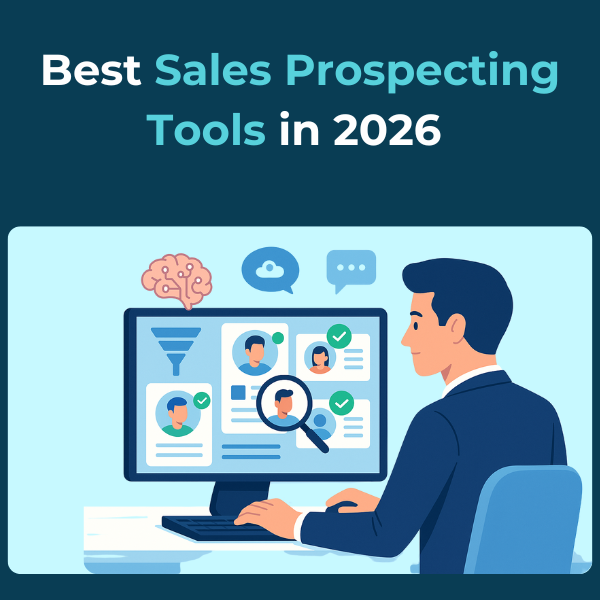
Discover the top sales prospecting tools that enhance accuracy, AI-driven targeting, compliance, and workflow automation—empowering teams to boost pipeline, outreach, and revenue performance.
How to Post the Subscription Form of the ActiveCampaign Newsletter to LinkedIn
All Tutorials / How to Post the Subscription Form of the ActiveCampaign Newsletter to LinkedIn Updated on: Here’s how to post the ActiveCampaign newsletter form to LinkedIn : Go to Form and Select the Form. Click Integrate in the top-right corner. Then click the Link tab. Select and Copy the Link. Click Save and Exit, […]
How to Use Monday.com for Project Management
All Tutorials / How to Use Monday.com for Project Management Updated on: Here’s how to use Monday.com for project management to streamline workflows: Click the Add icon and select Board to create a new one. Choose Main, Private, or Shareable and click Create Board. Use the Person Column to assign tasks. Track progress with the […]