



Unlimited Data.
Infinite Possibilities.
Looking for B2B data? Download Unlimited data using our Chrome extension at just $79/month.

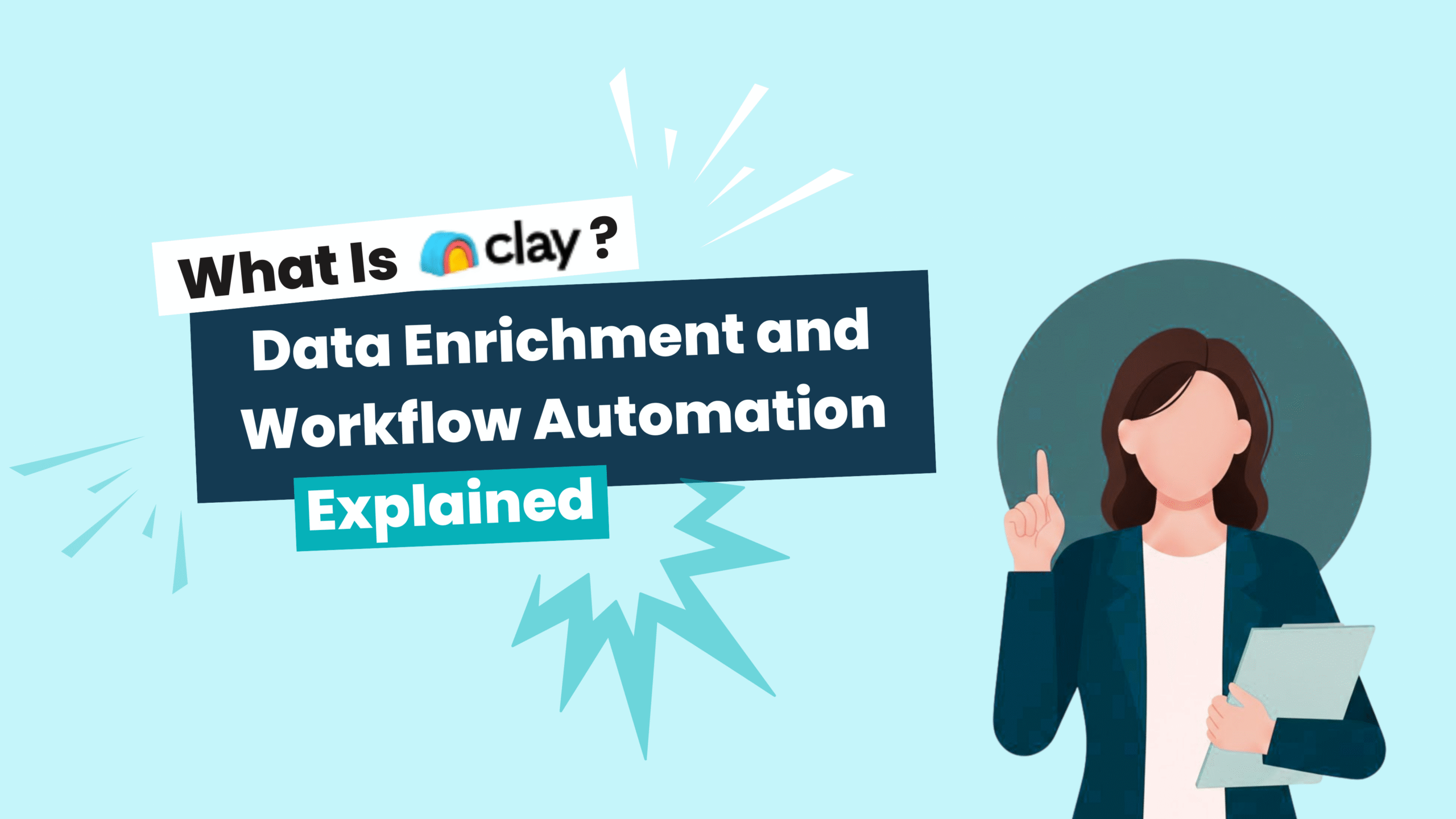
What Is Clay? Data Enrichment and Workflow Automation Explained

What Is Clay Data Enrichment and Workflow Automation

Best Tips on Lead Generation for Technology Companies

Summarize this article with AI:

Clay is a data enrichment and workflow automation platform that connects to dozens of third-party data providers through a single interface. It lets B2B sales, marketing, and RevOps teams pull contact and company information, build automated research workflows, and push enriched records directly into their CRM—without managing separate subscriptions for each data source.

This guide covers how Clay works, what it’s used for, its key features and limitations, and how it compares to alternatives like ReachStream, Apollo, and ZoomInfo.

What Is Clay?

Clay is a data enrichment and workflow automation platform built for B2B sales, marketing, and RevOps teams. It connects to dozens of third-party data providers through a single interface, letting you pull contact and company information without managing separate subscriptions for each source. If you’ve ever spent hours manually researching prospects or copying data between tools, Clay aims to automate that process.

The platform works like a smart spreadsheet. Each row represents a lead or company, and each column can be automatically filled with data points like email addresses, job titles, company revenue, or LinkedIn URLs. You set up workflows that query external sources, and Clay populates the information for you.

One thing worth knowing upfront: Clay doesn’t own a proprietary contact database. It aggregates data from external providers, which means the accuracy of your enriched records depends entirely on those sources. This distinction matters when you’re evaluating data quality.
How Clay Works for Data Enrichment and Workflow Automation

Data Sourcing and Aggregation

Clay uses a “waterfall” approach to find data. When you request an email address for a contact, the platform queries its first connected source. If that source doesn’t have the information, Clay moves to the second source, then the third, and continues until it finds a match or exhausts all options.

This method increases your chances of finding data, though it comes with a tradeoff. Each query consumes credits, so the more sources Clay checks, the faster your credits deplete. For large lists, this can add up quickly.

Enrichment Workflows

Building a workflow in Clay starts with importing a list of leads or companies. From there, you add enrichment steps that automatically fill in missing fields.

  • Email finding: Query multiple providers to locate verified email addresses
  • Company data: Pull firmographics like employee count, industry, and revenue
  • Contact details: Add job titles, LinkedIn profiles, and direct phone numbers
  • AI research: Scrape websites and profiles for custom data points

The workflow builder uses a visual, column-based interface. You can chain multiple actions together, add conditional logic, and run everything automatically once you hit start.

CRM and Tool Integrations

Once your data is enriched, Clay can push it directly into your existing tools. Common integrations include Salesforce, HubSpot, Outreach, Salesloft, Slack, and Google Sheets. This keeps your systems connected, though setup can require some technical configuration depending on your stack.

The goal is to eliminate manual data entry. Instead of exporting a CSV and uploading it to your CRM, Clay syncs enriched records automatically.

What Is Clay Used For?

Lead Enrichment and Prospecting

The most common use case is enriching prospect lists for outbound sales. SDRs and BDRs often start with a basic list containing company names and a few contact names. Clay adds verified emails, phone numbers, job titles, and firmographic details to complete the picture.

This saves hours of manual research. Instead of hunting down each contact individually, you upload your list and let the workflows run in the background.

Account-Based Marketing Research

ABM teams use Clay to gather deep intelligence on target accounts. This might include identifying all decision-makers at a company, mapping out the org chart, or finding recent news and funding announcements that inform personalized outreach.

The AI research agent is particularly useful here. It can scrape company websites, press releases, and LinkedIn to surface insights that would take hours to find manually.

Personalized Outreach at Scale

With enriched data points like recent job changes, company milestones, or tech stack information, teams can craft highly personalized messages without writing each one from scratch. Clay’s data feeds directly into email templates, allowing for dynamic personalization across hundreds or thousands of contacts.

CRM Data Hygiene and Maintenance

RevOps teams also use Clay to clean and maintain existing CRM records. Over time, contact information decays. People change jobs, companies get acquired, phone numbers go stale. Clay can re-enrich your database periodically to fill gaps and flag outdated records.

Who Is Clay Built For?

1

Sales Development Teams

SDRs and BDRs are Clay’s core users. If you’re running high-volume outbound and want enriched contact data fast, Clay’s workflow automation can reduce the time spent on manual prospecting significantly.

2

Revenue Operations Professionals

RevOps teams appreciate Clay’s ability to centralize data operations. Instead of managing multiple vendor relationships and manual data imports, you can build automated pipelines that keep your CRM clean and connected.

3

Growth and Marketing Teams

Marketers use Clay to build targeted audiences for campaigns. Whether you’re segmenting by company size, industry, or tech stack, enriched data helps you reach the right people with the right message at the right time.

Clay Features and Capabilities

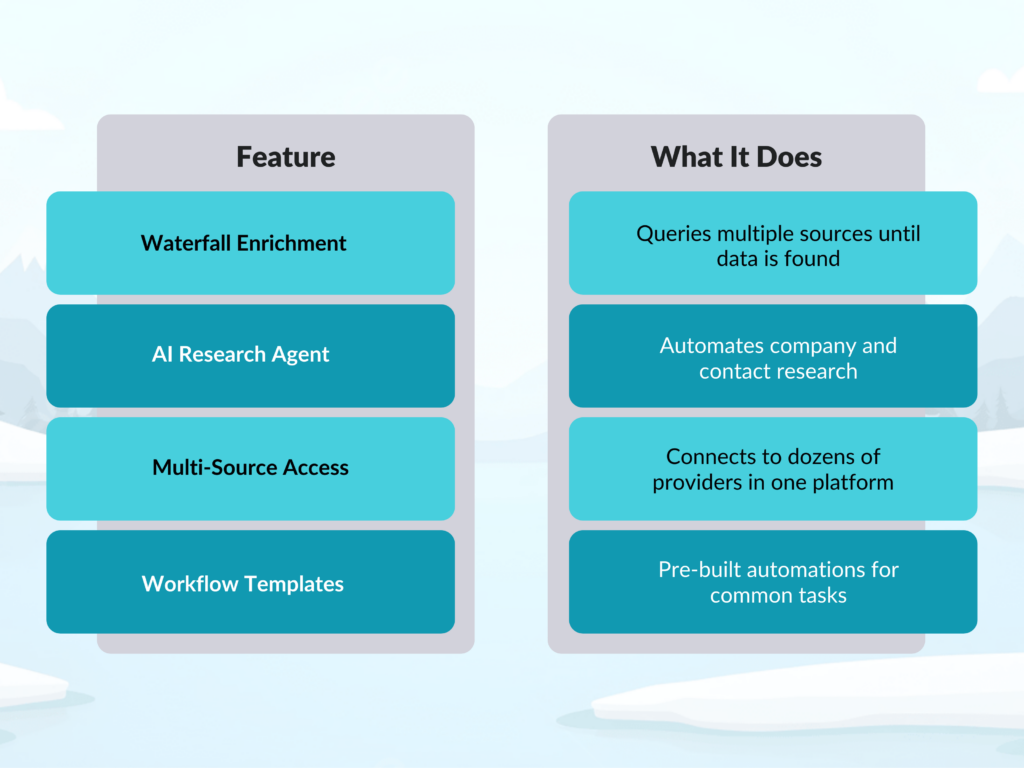
Waterfall Enrichment

Waterfall enrichment queries multiple data sources in sequence until it finds the information you’re looking for. This approach maximizes coverage, though it can consume credits quickly if you’re enriching large lists across many data points.

AI Research Agent

Clay’s AI agent performs web research on your behalf. It scrapes company websites, LinkedIn profiles, and other online sources to find specific data points. This is useful for gathering information that isn’t available through traditional data providers, like recent company news or specific product offerings.

Multi-Source Data Access

Rather than subscribing to each data provider separately, Clay gives you access to dozens of sources through a single platform. This simplifies vendor management, though you’re still dependent on the accuracy of those underlying sources.

Pre-Built Workflow Templates

For common tasks like email finding, lead scoring, or company research, Clay offers pre-built templates. These help you get started quickly, though more complex workflows typically require customization.

What Are the Limitations of Clay

1

Learning Curve and Setup Complexity

Clay isn’t a plug-and-play tool. Building effective workflows takes time, and understanding how different data sources perform requires experimentation. Teams without dedicated ops resources may find the onboarding process challenging.

The visual interface helps, but there’s still a learning curve. Expect to spend time testing different configurations before you find what works for your specific use case.

2

Credit-Based Pricing Model

Every enrichment action consumes credits, and costs can scale quickly with high-volume usage. If you’re enriching thousands of records across multiple data points, monitoring your credit consumption becomes important.

Some teams find the credit model unpredictable, especially when running waterfall enrichment across many sources. Each failed query still uses credits before moving to the next source.

3

Data Accuracy and Verification Gaps

Here’s an important distinction: Clay aggregates data from third-party providers, but it doesn’t verify that data. There’s no built-in email deliverability testing or phone number validation. If a source returns an outdated email, Clay passes it through without flagging the issue.

This is where platforms with built-in verification can provide an advantage. ReachStream, for example, offers 90% deliverability and 95% data accuracy through multi-step email validation. Verified data means fewer bounces and more conversations.

Clay Alternatives for Data Enrichment

ReachStream

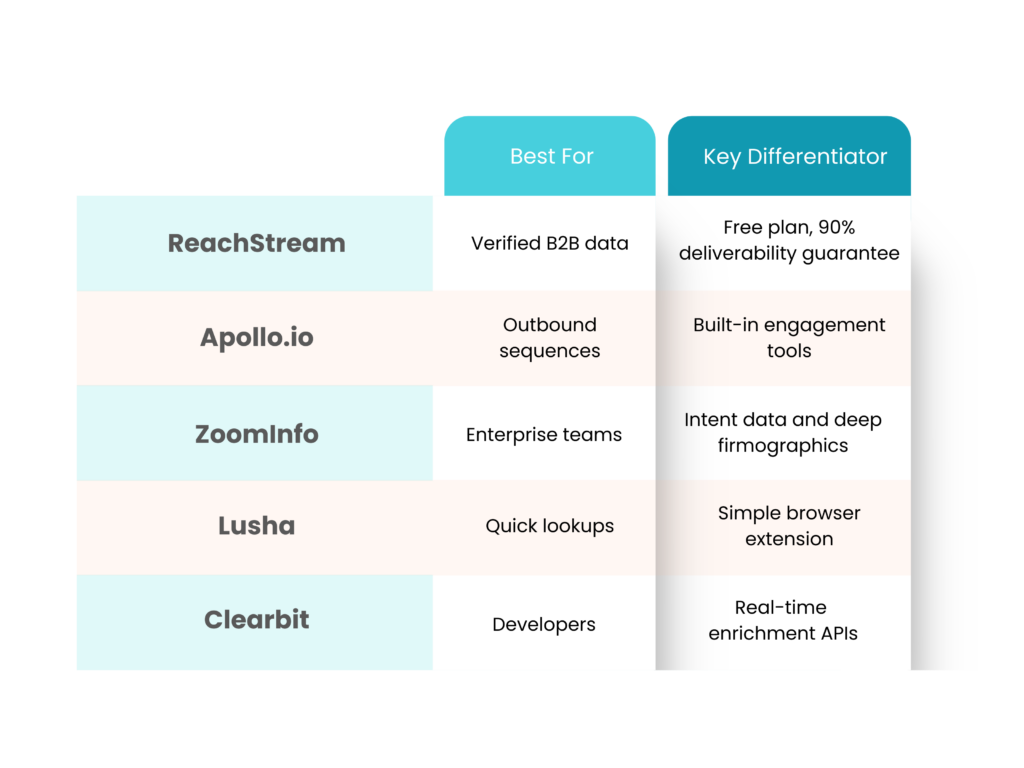
ReachStream combines a 200M+ contact database with built-in verification, a Chrome Extension for LinkedIn prospecting, and API workflows for seamless integration. The IceBreaker plan lets you test the platform free with 100 export credits and 200 email credits, with no credit card required.

Apollo.io

Apollo pairs its contact database with built-in sequencing and engagement tools. It’s a strong option for teams that want prospecting and outreach in one platform.

ZoomInfo

ZoomInfo offers enterprise-grade data with intent signals and deep firmographics. It’s positioned at a higher price point and typically serves larger organizations with complex data requirements.

Lusha

Lusha focuses on quick contact lookups via a browser extension. It’s simple and lightweight, ideal for individual prospecting rather than large-scale enrichment workflows.

Clearbit

Clearbit provides real-time enrichment APIs designed for developers and marketing tech stacks. It’s a strong choice if you’re building custom integrations or need programmatic access to data.

Clay Alternatives for Data Enrichment

How to Choose a Data Enrichment Platform

Selecting the right platform depends on your team’s specific situation. Here are the key factors to evaluate:

  • Data accuracy: Does the platform verify emails and phone numbers, or does it pass through unvalidated data?
  • Integration fit: Does it connect with your CRM, sequencing tools, and existing workflows?
  • Pricing model: Do credits or flat-rate subscriptions better match your usage volume?
  • Ease of use: How much onboarding time will your team realistically invest?
  • Support and resources: What documentation, training, and customer support are available?

Before committing to a paid plan, test the platform with real data. Look for free trials that let you evaluate data quality and workflow fit without upfront cost.

Ready to test a data platform without commitment?

FAQs

Is Clay the same as a B2B contact database?

No. Clay is a workflow automation tool that aggregates data from external providers. It doesn’t maintain its own proprietary contact database. Instead, it connects to third-party sources and pulls data on demand.

Does Clay replace a CRM?

Clay doesn’t replace your CRM. It enriches data and pushes it into CRMs like Salesforce and HubSpot. Your CRM remains the system of record, while Clay feeds it cleaner, more complete information.

Can sales teams use Clay without technical skills?

Clay offers templates and a visual interface, but building custom workflows often requires some technical comfort. Non-technical users may benefit from onboarding support or ops assistance to get the most out of the platform.

How does Clay handle data privacy and compliance?

Clay inherits compliance practices from its third-party data providers. If GDPR or CCPA compliance is critical for your team, verify that each connected source meets your requirements before running enrichment workflows.

What happens if enriched data from Clay is inaccurate?

Since Clay passes through data from external sources without built-in verification, inaccurate records may slip through. Teams often use a separate validation tool, or choose a platform with native verification, to catch errors before outreach.

Table of Contents

Access 200M+ verified business emails and grow your sales pipeline effortlessly.

Claim Your 100 Free Export Credits Today!

Power Your Sales with Targeted Data

Don't forget to share this post!

Check out our other blogs!