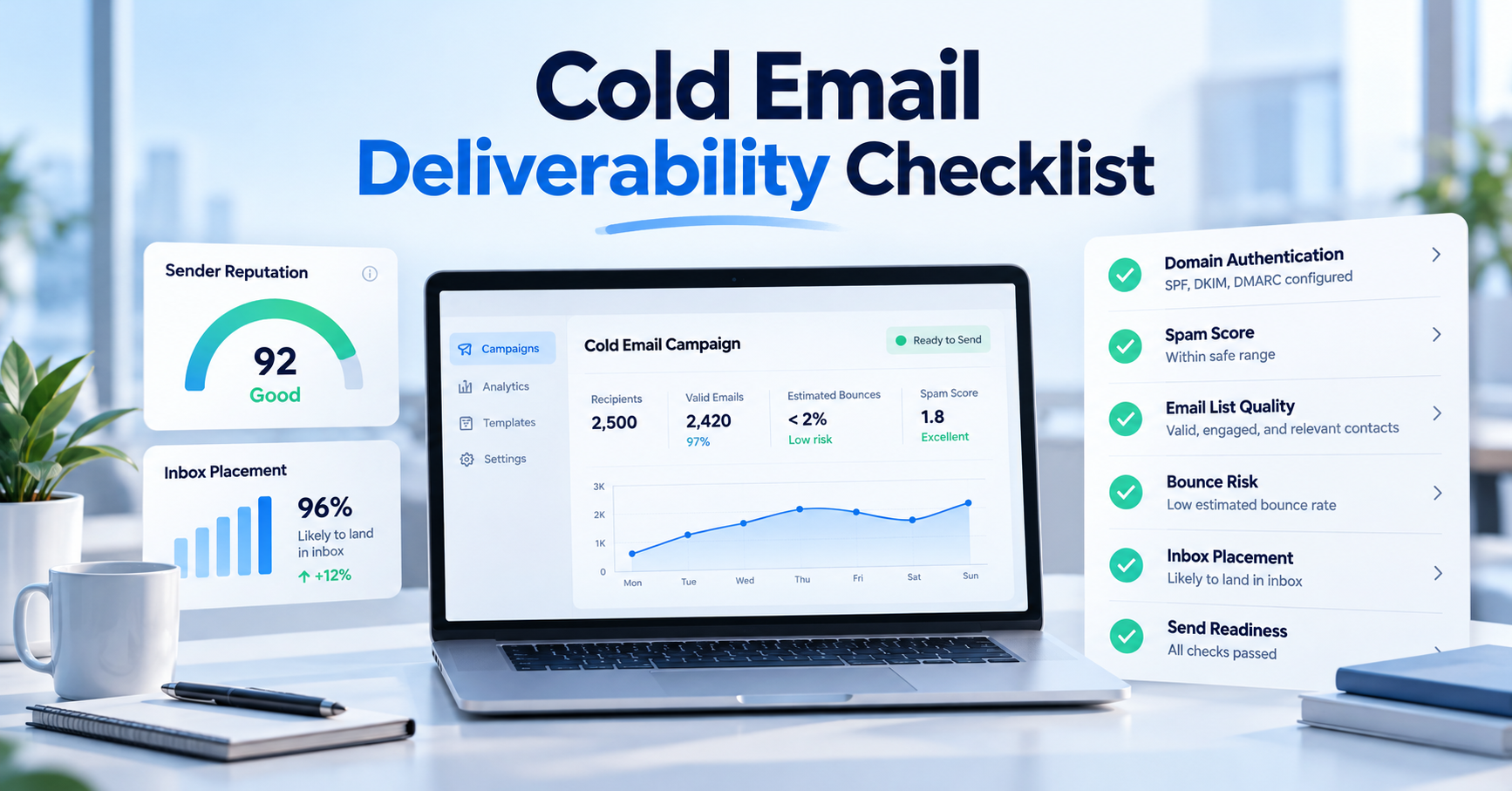

2026 Cold Email Deliverability Checklist Before You Hit Send
How to Evaluate B2B Data Vendors for Accuracy and Compliance

- A cold email deliverability checklist is your pre-send safety net. Review it before every cold outreach campaign to make sure your emails land in inboxes, not spam.
- Handle SPF, DKIM, and DMARC first. Verify your From domain corresponds to those records.
- Always check your list. High bounce rates are one of the fastest ways to kill your sender reputation.
- Warm up new mailboxes slowly and never jump your sending volume.
- In Google Postmaster Tools, keep spam complaints under 0.10% (never let them get close to 0.30%).
- Run a cold email spam test with seed inboxes before sending, and always start with a small batch.
- If deliverability drops, pause sending and run deliverability troubleshooting cold email steps: check authentication and bounces before changing your copy.
What Is a Cold Email Deliverability Checklist?
A cold email deliverability checklist is the step-by-step process you use before you send a campaign. This pre-send deliverability checklist covers authentication, list quality, sender reputation, and the message itself. Deliverability is about whether the receiving server accepts your message. Inbox placement is where it actually lands: main inbox, promotions, or spam.
Cold outreach is much harder than sending newsletters. Nobody signed up for your email, so providers watch every recipient’s reaction. Just a couple of spam reports or a spike in bounces can ruin weeks of work. That’s why an email deliverability checklist before sending is always worth a few minutes.
This guide follows the order most teams use: technical setup, list hygiene, testing, and troubleshooting. If you want a deliverability checklist for cold outreach that a new SDR can use right away, check the step-by-step section and the quick checklist.
What Should You Check Before Sending Cold Email?
Build your cold email deliverability checklist in four main steps:
- Authentication (SPF, DKIM, DMARC).
- List quality and hygiene.
- Warmup and sender reputation.
- Provider-specific rules.
Don’t edit your copy until these basics are solid.
How Do SPF, DKIM, and DMARC Work Together?
- SPF lets mailbox providers know which servers can send for your domain.
- DKIM signs each message, proving it’s really from you.
- DMARC ties it together, telling providers what to do if checks fail and your From domain must match SPF or DKIM.
Your domain authentication checklist (SPF, DKIM, DMARC setup checklist) shouldn’t take more than an afternoon:
- Only one SPF record per domain.
- Enable DKIM everywhere you send from.
- Set up DMARC (start in monitoring mode with a reporting address if you’re new).
- Send yourself a test: SPF, DKIM, and DMARC all need to pass.
Keep your SPF, DKIM, and DMARC setup checklist handy for every new domain. Teams often add domains and mailboxes quickly. BIMI (logo in inboxes) is a nice-to-have, not a must.
Why Do Email Verification and List Hygiene Matter?
Email verification ensures an address is real and can receive mail. List hygiene means removing bounces, unengaged contacts, and people you shouldn’t email. Both are crucial for your sender reputation, which is hard to build and easy to lose.
Before every send, run your list through verification. Keep valid addresses, remove invalids, and make a judgment call on riskies or catch-alls (some teams send to them in a separate batch and monitor bounces).
Old data is dangerous. People change jobs constantly. A list that was fine months ago might now be full of dead mailboxes or spam traps. Try to keep hard bounces below 2%, and even lower for brand-new domains.
How Do You Warm Up a New Sending Domain?
Warming up is about raising your sending volume little by little. If you blast a new domain with hundreds of emails right away, you’ll look like a spammer.
Your email warmup checklist:
- Start with just a few emails a day to people who will reply.
- Gradually increase your volume, a little more each week.
- Be consistent: same time, same amount each day.
- Don’t use lots of links or heavy formatting at first.
- If bounces or spam placement appear, stop increasing.
- There isn’t a set schedule; use real results to guide your ramp.
Once a week, check your sender reputation checklist: bounce rate, spam complaints, reply rate, and whether your test messages are hitting the inbox.
What Do Gmail, Yahoo, and Outlook Require in 2026?
- Gmail: If you send over 5,000/day to Gmail, you’re a bulk sender and need SPF, DKIM, DMARC, and one-click unsubscribe. Your spam rate (Google Postmaster Tools check) must stay under 0.10%. Enforcement is strict.
- Yahoo: Requires SPF, DKIM, DMARC, a working unsubscribe header, valid DNS, and complaints under 0.3%.
- Outlook.com/Hotmail/Live: If you send over 5,000/day, then SPF, DKIM, DMARC are required. Non-compliant mail goes to Junk.
Most cold emailers don’t send that much, but Google looks at your main domain, not just one mailbox. Easy opt-outs are good for everyone.
Rules keep changing; always check the latest sender docs before you add a new domain.
How Do You Test Spam Filters and Inbox Placement?
A checklist won’t tell you how mailbox providers treat your emails; real tests can.
- Run a cold email spam test: send your actual message (with links/formatting) to spam-checking tools or your own Gmail, Outlook, and Yahoo seed inboxes.
- Next, do an email deliverability test: check DNS records, blocklist status, and your sending path.
- Keep checking inbox placement over time; today’s results aren’t forever.
Seed inboxes give you a rough idea, not a guarantee. Always pair them with real data: bounce rate, reply rate, and Postmaster Tools data.
| Check | What it looks at | When to run it | Where to run it | What a bad result usually means |
|---|---|---|---|---|
|
Spam and content test |
Spam filter score, risky wording, and link or formatting problems |
Before every new campaign |
A spam-testing tool or your own seed inboxes |
Risky wording, broken or mismatched links, or an authentication gap |
|
Inbox placement test |
Whether mail lands in the inbox, promotions, or spam |
Before launch, then weekly while you are sending |
Seed mailboxes at Gmail, Outlook, and Yahoo |
A reputation, list, or content problem that needs a closer look |
|
Blocklist and DNS check |
SPF, DKIM, and DMARC records, plus blocklist listings |
After any domain or tool change, and monthly |
A DNS lookup tool, a blocklist checker, and Postmaster Tools |
A misconfigured record, or a listing that needs a removal request |
|
List verification check |
Whether addresses are valid, risky, or catch-all |
Before every send |
An email verification tool |
Stale data that raises bounces and spam trap risk |
|
Warmup and volume check |
Whether today’s volume matches your ramp |
Daily while a mailbox is warming up |
Your sending tool’s dashboard |
Ramping too fast, which can push mail toward spam |
Cold Email Deliverability Checklist: Step by Step
Here’s your pre-send deliverability checklist before every campaign:
- Confirm authentication: SPF, DKIM, and DMARC all pass on a test email from each mailbox.
- Double-check From/reply addresses (and DNS settings if you run your own servers).
- Set up a custom tracking domain. Don’t borrow someone else’s reputation.
- Verify your list, remove invalids, and flag riskies.
- Suppress unsubscribes, bounces, and anyone who opted out.
- Make sure today’s volume fits your warmup plan.
- Run a spam test, a seed placement check, and an email deliverability test.
- Add a visible opt-out and your physical address (for CAN-SPAM/GDPR).
- Start small. Watch bounces and replies before sending more.
How Do You Check Copy, Links, and Subject Lines?
Content matters even if your tech is perfect; your message can still get filtered. A few email deliverability tips for your copy:
- Subject line: Short, honest, and clear. No ALL CAPS or hype.
- Personalization: Don’t let merge fields break. Make it about the recipient: a real detail, not just their name.
- Links: One is enough. Use your own domain, avoid link shorteners. Ask for one clear action.
The more your email feels like a real note, the better.
- Do SPF, DKIM, and DMARC pass on a test from this mailbox?
- Have you checked the list, with unsubscribes and bounces removed?
- Is the message clear, with one link and one ask?
- Is today's volume on plan, with a small batch to start?
Common Cold Email Deliverability Mistakes to Avoid
- Sending at full volume from day one instead of ramping up.
- Trusting an old “verified” list instead of rechecking before every send.
- Adding a tool but forgetting DNS: every sender must be in your SPF and DKIM.
- Focusing on opens, not bounces/complaints; providers watch negative signals.
- Loading up on links/images/tracking looks like marketing, not a real note.
- Testing once and never again, even as placement changes and sender reputation does.
How Do You Fix a Sudden Deliverability Drop?
If replies dry up or bounces spike, don’t jump to rewriting your copy. Do deliverability troubleshooting cold email steps and fix the basics first:
- Pause or slow sending.
- Double-check authentication: SPF, DKIM, DMARC must all pass.
- Read bounce codes, they’ll tell you what’s wrong.
- Open Google Postmaster Tools: review spam rate, authentication, errors.
- Look for blocklistings and follow their removal process.
- Check your data source, a new or old list is often the culprit.
- Rerun your spam test and seed placement check.
- Resume slowly, starting with your best, verified contacts.
Most problems are boring: DNS not updated, an old list, or a volume spike. Fix those first.
Conclusion
No cold email deliverability checklist is perfect, but it keeps you out of trouble: missing DKIM, stale lists, too-quick ramp-ups, sketchy links. These are what quietly kill reply rates.
Cold email deliverability best practices aren’t complicated. The challenge is doing them every time, even when you’re busy. Make the checklist routine, assign someone to own it, and do a Google Postmaster Tools check every week.
Still want to know how to improve cold email deliverability? Start with authentication, then the list, then a steady ramp. Let your deliverability tests point out what to fix next.
Frequently Asked Questions
1. What is a cold email deliverability checklist?
2. How do I check if my emails land in spam?
3. Do I need SPF, DKIM, and DMARC for cold email?
4. How long should I warm up a new domain?
5. How often should I verify my email list?
6. Does personalization affect deliverability?
7. Why am I in spam with SPF and DKIM set up?
8. Is cold email legal under CAN-SPAM and GDPR?
Author

ReachStream Prospect is designed to help you build targeted lists from 450M+ contacts and 25M+ companies.
Don't forget to share this post!















Check out our other blogs!
How B2B Data Platforms Integrate with Your CRM
ReachStream’s Direct Dial Database: What Makes It Different
The B2B Outbound Playbook: From ICP to First Meeting
What Is Prospecting? A Beginner’s Guide for Sales Teams