

How to Evaluate B2B Data Vendors for Accuracy and Compliance
Most B2B prospecting tools promise pipeline growth. Fewer actually deliver it—and the gap between expectation and reality costs sales teams more than just budget.
The problem usually isn’t the category itself. It’s misaligned tool selection, data that decays faster than it’s refreshed, and integrations that create more friction than they eliminate. This guide breaks down why prospecting tools underperform, what separates high-performing platforms from the rest, and how to evaluate your options before you commit.
Prospecting tools are digital software platforms that help sales teams identify, research, engage, and manage potential leads. Rather than spending hours hunting for contact information or manually tracking outreach, reps can automate the tedious parts and focus on actual conversations.
The category includes lead databases like ZoomInfo and Apollo.io, social selling platforms like LinkedIn Sales Navigator, and outreach automation tools like Outreach. Each type handles a different piece of the prospecting puzzle.
Here’s what prospecting tools actually do:
When all four functions work together, prospecting becomes predictable. When they don’t, you end up with a bloated tech stack and a pipeline that won’t move.
Here’s the uncomfortable part: most teams don’t get the ROI they expected from their prospecting software.
The gap between what tools promise and what they deliver usually comes down to misalignment. Teams buy platforms based on feature lists instead of workflows. They assume more data means better data. And they underestimate how much friction bad integrations create.
A few patterns show up again and again:
The result? Wasted budget, frustrated sales teams, and pipelines that don’t grow the way forecasts predicted.
Let’s dig into the specific issues that cause prospecting tools to underperform. None of the following are edge cases. they’re patterns that show up across industries and company sizes.
Stale data is the silent killer of outbound campaigns. When contact records haven’t been verified recently, bounce rates climb and sender reputation suffers.
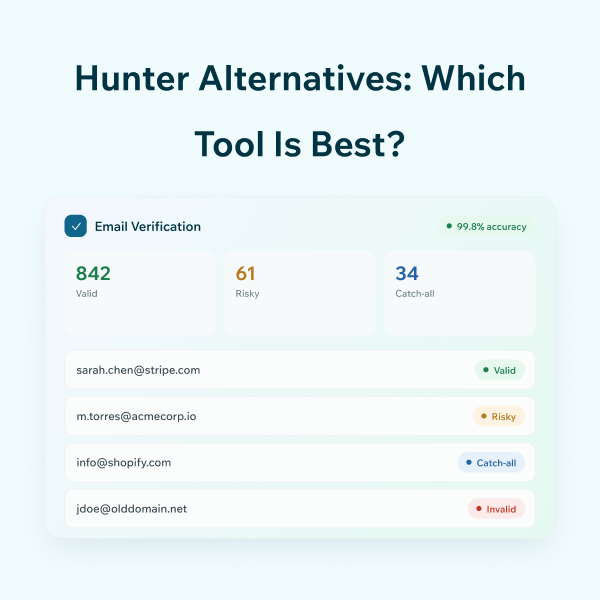
What does “verified” actually mean? ESP-verified data has been checked against email service providers in real time, confirming the address is active and deliverable. Without verification, you’re essentially guessing whether your emails will land.
Disconnected tools create manual data entry, duplicate records, and lost context. If your prospecting platform doesn’t sync cleanly with your CRM, reps spend more time copying and pasting than selling.
API integration—where systems communicate automatically—eliminates friction. However, not all tools offer robust APIs, and not all teams configure them properly.
Weak filters mean reps waste time on unqualified leads. If you can’t narrow your search by job title, company size, tech stack, or geography, you’re building lists that don’t match your ideal customer profile.
The best prospecting tools offer detailed custom filtering options across both firmographic attributes (company-level data like revenue and employee count) and contact-level attributes (job title, department, seniority).
Difficult UX reduces adoption. If a tool takes weeks to learn or requires constant support tickets, reps will find workarounds—or stop using it altogether.
Simple UI and fast onboarding aren’t nice-to-haves. They’re requirements for tools that actually get used day-to-day.
Credit-based pricing, per-seat costs, and data export fees add up quickly. Many teams discover their “affordable” tool costs twice as much once they factor in actual usage.
Before committing, calculate total cost of ownership—not just the sticker price.
Not all prospecting tools solve the same problem. The following breakdown helps clarify which category fits which workflow.

Database platforms provide large contact lists with filtering by job title, company size, industry, and more. Firmographics—company-level data points like revenue, employee count, and location—form the foundation of targeted list building.
Enrichment tools fill in missing data points on existing records. Unlike lead generation (which discovers new contacts), enrichment enhances what you already have with verified emails, phone numbers, and company details.
Browser extensions surface contact data directly from LinkedIn profiles. They’re especially useful for reps who spend significant time on Sales Navigator and want to capture leads without switching tabs.
Email finding platforms locate addresses and validate deliverability. ESP verification checks whether an address is active, reducing bounce rates before you send a single message.
All-in-one platforms combine prospecting with lead management inside your existing CRM. They’re often the best fit for teams that want fewer tools and tighter workflows.
What separates tools that deliver from tools that don’t? A few features consistently show up in platforms that drive real pipeline results.
Verification at download prevents bounces before they happen. Pay-only-for-verified models reduce waste by ensuring you’re not paying for contacts you can’t reach.
Firmographics cover company size, revenue, and industry. Technographics reveal what tools a company uses—valuable for selling into specific tech stacks. Granular filters enable precise ICP targeting.
Pre-built integrations and robust APIs eliminate manual data entry. Seamless data flow means reps spend less time on admin and more time on conversations.
GDPR, CCPA, and similar regulations govern how contact data can be collected and used. Compliant prospecting software protects both buyer and seller from legal risk.
Intuitive interfaces accelerate adoption. Tools that offer onboarding coaching and clear documentation reduce time-to-value significantly.
Here’s a closer look at platforms that consistently perform well across sales, marketing, and recruiting teams.
ReachStream is a B2B data platform built for revenue teams that want verified contacts without the complexity. The platform offers a List Builder with 200M+ contacts, a Chrome Extension for LinkedIn prospecting, and Data Enrichment to update existing records.
Apollo combines a large contact database with built-in email sequences and engagement tracking. It’s popular among teams that want prospecting and outreach in one platform.
ZoomInfo is an enterprise-grade sales intelligence platform with one of the largest B2B databases available. It offers intent data, org charts, and deep company insights.
Sales Navigator is essential for social prospecting. It offers advanced search filters, lead recommendations, and InMail for direct outreach.
Cognism focuses on GDPR-compliant data with phone-verified mobile numbers. It’s particularly strong for European markets.
Lusha is a lightweight prospecting tool known for direct dials and a simple browser extension. It’s quick to set up and easy to use.
Here’s a closer look at platforms that consistently perform well across sales, marketing, and recruiting teams.
Choosing the right platform depends on your specific goals, tech stack, and budget. The following framework helps structure the evaluation process.
Start by clarifying what you’re trying to achieve. Are you building volume or targeting specific accounts? Your Ideal Customer Profile—the firmographic and demographic attributes of your best customers—shapes which filters and data points matter most.
Ask vendors how often data is refreshed, what verification methods they use, and what accuracy guarantees they offer. Quarterly updates and ESP verification are baseline expectations.
Verify that the tool integrates with your CRM, marketing automation, and sales engagement platforms. Native integrations reduce friction; API access enables custom workflows.
Understand whether pricing is seat-based, credit-based, or unlimited. Watch for hidden fees on exports, enrichment, or API calls.
Test with real use cases before committing. The best B2B prospecting tools offer trials that let you evaluate data quality and workflow fit firsthand.
A trial period is your chance to audit a tool’s actual performance. Here’s how to make the most of it.
Sample a subset of records and manually verify them. Check whether emails are deliverable, phone numbers connect, and job titles are current.
Send test campaigns and measure bounce rates. Anything above 2-3% suggests data quality issues.
Track how long it takes from signup to building your first usable prospect list. Faster time-to-value indicates better UX and data accessibility.
Divide your spend by the number of valid contacts downloaded—not total credits used. This metric reveals true cost efficiency.
The best sales prospecting tools combine verified data, workflow integration, and usability into a system that grows with your team.
Underperformance usually stems from fixable causes: outdated data, poor integrations, weak filters, or complex interfaces. Addressing gaps in any of the four areas transforms prospecting from a bottleneck into a growth engine.
Whether you’re auditing your current stack or starting fresh, focus on platforms built for accuracy and simplicity. The right tool doesn’t just generate leads—it generates pipeline you can actually close.
The most effective prospecting method combines verified contact data with personalized, multi-channel outreach across email, phone, and LinkedIn. Single-channel approaches typically underperform compared to coordinated sequences.
The 5 P’s of prospecting are Purpose, Preparation, Personalization, Perseverance, and Practice—a framework for building consistent outbound habits that convert.
B2B contact data benefits from quarterly refreshes at minimum. Job changes, company moves, and email address updates happen constantly—stale data leads to bounced messages and wasted effort.
Free prospecting tools can provide a starting point, though they typically offer limited data volume and may lack real-time verification. Paid platforms generally deliver higher accuracy and more comprehensive coverage.
Lead generation tools help you discover new prospects, while data enrichment tools enhance and complete existing records with additional data points like verified emails, phone numbers, and firmographics.
Teams measure prospecting tool ROI by tracking metrics like cost per verified contact, email deliverability rates, response rates, and pipeline generated from tool-sourced leads.
Marketing professional with a Master’s degree in Marketing, specializing in SEO, content strategy, social media, performance marketing, prospecting, and demand generation.
Access 200M+ verified business emails and grow your sales pipeline effortlessly.
Don't forget to share this post!















Check out our other blogs!
Hunter Alternatives: Which Tool Is Best?


Best Email Verification Software Compared (2026)