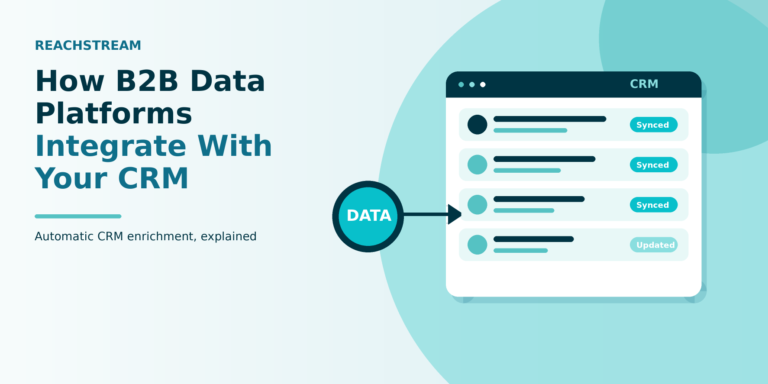

How to Connect Your Lead Database to Your CRM (Salesforce/HubSpot)
- Best Practice > Marketing > Sales
- > Article
- Best Practice > Marketing > Sales
- > Article
How to Evaluate B2B Data Vendors for Accuracy and Compliance
A sales lead database gives your sales team valuable information about potential customers, but its real value comes when you connect it to your CRM. Instead of managing prospects across spreadsheets or separate tools, you can move relevant lead data into platforms like Salesforce or HubSpot to organize contacts, track activities, and manage follow-ups.
However, successful CRM integration involves more than importing a CSV. You also need to clean and validate data, map fields, remove duplicates, and maintain data quality.
The basic process: Find leads → Clean data → Map fields → Import or integrate → Remove duplicates → Enrich records → Manage leads → Maintain data quality.
This guide explains how to connect sales lead databases to Salesforce and HubSpot and keep your CRM data organized and reliable.
What Is a Sales Lead Database?
A sales lead database is a collection of information about potential business customers that sales teams use for prospecting and outreach. Depending on the provider, it may include names, business emails, job titles, company names, industries, locations, company size, phone numbers, and other business attributes.
For example, a cybersecurity company may use a sales lead database to find IT directors and security managers at financial services companies. Platforms such as ReachStream can help businesses identify targeted B2B contacts based on criteria like industry, job title, company, and location, which can then be prepared for use in a CRM.
A lead database provides prospect information, while a CRM helps manage those prospects and track sales activities. Together, they support a workflow such as:
Lead Database → Data Validation → CRM → Sales Outreach → Opportunity → Customer
Why Connect a Sales Lead Database to Your CRM?
Keeping lead data separate from your CRM can create unnecessary manual work. Sales representatives may have to switch between spreadsheets, databases, email tools, and CRM records to manage prospects.
Connecting your lead database workflow with your CRM can help create a more organized process.
Centralize Lead Information
Your sales team can manage prospect records from one central location instead of searching through multiple spreadsheets or platforms.
Reduce Manual Data Entry
Manually copying information from a lead database into a CRM takes time and increases the risk of errors.
A structured import or integration can reduce repetitive data entry.
Improve Lead Qualification
When relevant information is available inside the CRM, sales teams can evaluate prospects using factors such as:
- Industry
- Job title
- Company size
- Location
- Business needs
- Lead source
This can make it easier to prioritize sales opportunities.
Support Personalization
More complete prospect records can help sales representatives understand who they are contacting and create more relevant outreach.
Improve Reporting
When lead sources and prospect information are properly recorded in the CRM, businesses can measure how different lead sources contribute to sales activity and revenue.
How to Connect a Sales Lead Database to Salesforce
Salesforce provides tools for importing data into the platform, but the exact process you use will depend on your data volume, workflow, and integration requirements.
There are three common approaches.
Option 1: Import Lead Data Using a CSV File
For smaller or one-time imports, a CSV file can be a practical option.
The general workflow is:
Step 1: Prepare Your Lead Database
Export the records you want to add to Salesforce.
Remove unnecessary columns and organize the remaining fields.
Step 2: Clean the Data
Check for:
- Duplicate records
- Invalid email addresses
- Missing required information
- Incorrect formatting
- Incomplete company details
Step 3: Create the CSV File
Make sure each column has a clear header.
For example:
First Name | Last Name | Company | Job Title | |
John | Smith | ABC Company | john@abccompany.com | Sales Director |
Step 4: Map the Fields
During the import process, match your CSV columns to the appropriate Salesforce fields.
For example:
Email → Email
Company → Company
Job Title → Title
Step 5: Import the Records
Upload the prepared file using the appropriate Salesforce data import functionality.
If the database is large, consider testing the process with a smaller sample first.
Step 6: Review Errors
After the import, review any records that failed.
Common causes include:
- Missing required fields
- Incorrect formatting
- Invalid values
- Field mapping problems
Step 7: Check for Duplicates
Review the imported records against existing CRM data.
Duplicate contacts can create problems for:
- Sales reporting
- Lead ownership
- Outreach
- Activity tracking
- Customer records
Step 8: Verify the Imported Records
Check a sample of records manually.
Confirm that:
- Names appear correctly
- Email addresses are in the right field
- Company information is accurate
- Lead sources are properly recorded
- Custom fields contain the expected information
A small quality check after import can prevent larger problems later.
Option 2: Use an API or Integration
Businesses that regularly move data between systems may need a more automated approach.
Depending on the tools involved, this may include:
- APIs
- Native integrations
- Middleware
- Automation platforms
- Custom data pipelines
This approach can be useful when a business needs to regularly synchronize information instead of performing one-time imports.
For example, a company may want a workflow that:
Identifies new prospects → Validates information → Creates or updates CRM records → Assigns leads → Starts a sales workflow
The right approach depends on the organization’s technical requirements and the capabilities of the systems involved.
Option 3: Automate Lead Enrichment and CRM Updates
Lead data can become less useful when contact information changes. People change jobs, companies reorganize, and business information evolves. An automated enrichment process can help businesses keep important CRM fields more current.
For example, a workflow might identify records with incomplete information and trigger an enrichment process before the lead is assigned to a sales representative.
The goal is to maintain useful CRM records rather than simply increasing the number of contacts in the database.
How to Connect a Sales Lead Database to HubSpot
HubSpot also provides tools for importing and managing contact data.
The exact workflow depends on your HubSpot setup and the type of data you are importing.
Option 1: Import Lead Data Using a CSV File
The general process includes the following steps.
Step 1: Prepare Your Database
Select the contacts you want to add.
Remove unnecessary fields and organize your data.
Step 3: Identify HubSpot Properties
Determine where each piece of information should go.
For example:
Database Field | HubSpot Property |
First Name | First Name |
Last Name | Last Name |
Company | Company Name |
Job Title | Job Title |
Industry | Industry |
Step 4: Map Your Fields
Match each database column with the appropriate HubSpot property.
If a field does not have an existing property, determine whether a custom property is necessary.
Step 5: Import the Records
Upload the prepared data using HubSpot’s available import tools.
Step 6: Review the Import
Check for errors and incomplete records.
Review a sample of the imported contacts to ensure the information appears in the correct fields.
Step 7: Check for Duplicates
Review duplicate records and establish processes for managing them.
Step 8: Organize the Contacts
Use appropriate lists, properties, segmentation, or workflows to organize imported leads according to your sales process.
Option 2: Connect Through Integrations or APIs
Businesses that need continuous data movement may use integrations or APIs.
For example, a company might connect its lead sourcing workflow to its CRM so that new records can be transferred automatically instead of being manually imported every week.
Depending on the systems involved, automation may support workflows such as:
New Lead Found → Data Validated → CRM Record Created → Lead Assigned → Follow-Up Started
Before implementing an automated connection, make sure you understand:
- Which system is the source of truth
- Which fields should be synchronized
- How duplicates are handled
- How updates are managed
- What happens when data is deleted
- How errors are reported
Option 3: Automate Data Updates
A CRM integration should not be viewed as a one-time project.
If your business depends on B2B contact data, you may need processes to identify:
- Invalid email addresses
- Job changes
- Company changes
- Duplicate records
- Missing information
- Outdated records
Regular data maintenance helps your sales team work with more reliable information.
Claim 100 free leads to see data quality in action
Salesforce vs. HubSpot for Managing Sales Lead Data
Both Salesforce and HubSpot can support lead and contact management, but the right choice depends on your organization’s requirements.
Factor | Salesforce | HubSpot |
Lead and contact management | Strong CRM capabilities | Strong CRM capabilities |
Data import | Supports structured data imports | Supports structured data imports |
Automation | Extensive workflow capabilities | Workflow automation available depending on plan |
Customization | Highly customizable | User-friendly with customization options |
Reporting | Advanced reporting capabilities | Reporting capabilities vary by plan |
Scalability | Suitable for complex sales organizations | Suitable for businesses ranging from small teams to larger organizations |
Ease of use | May require more configuration | Often easier for teams to get started |
Integrations | Large ecosystem | Large ecosystem |
Rather than asking which CRM is universally better, consider your sales process.
A company with complex workflows and extensive customization requirements may have different needs from a growing business that prioritizes ease of implementation.
The more important consideration is whether your lead data can be structured and maintained effectively within the CRM you choose.
Common Problems When Connecting Lead Databases to CRMs
Moving data from one system to another can create several problems if the process is not carefully managed.
Duplicate Records
Duplicate contacts can occur when the same person appears multiple times in a database or when imported records already exist in the CRM.
Duplicates can lead to:
- Multiple sales representatives contacting the same person
- Inaccurate reports
- Fragmented communication history
- Poor customer experiences
Establish duplicate management rules before importing large datasets.
Incorrect Field Mapping
If your database fields are mapped incorrectly, important information may end up in the wrong CRM fields. For example, if a job title is mapped to a company field, your sales team may struggle to segment and prioritize leads.
Always test field mapping with a small sample before completing a large import.
Invalid Email Addresses
An email address that looks correct may still be invalid or undeliverable. Sending campaigns to poor-quality addresses can increase bounce rates and reduce the effectiveness of outreach.
Validating email data before adding it to your sales workflow can help maintain better data quality.
Incomplete Lead Records
A contact record with only a name and email address may provide limited context for a salesperson.
Depending on the sales process, additional information such as company, job title, industry, or location may help representatives prioritize and personalize outreach.
Compliance and Privacy Considerations
Businesses should also consider privacy and marketing requirements before collecting, importing, or contacting business prospects.
Requirements can vary based on:
- The country where the prospect is located
- The type of personal data involved
- The purpose of processing
- The communication channel
- Applicable privacy and marketing regulations
Businesses should review applicable laws and their internal policies before using prospect data for outreach.
Best Practices for Connecting Sales Lead Databases to Salesforce or HubSpot
A successful CRM integration depends on data quality as much as technology.
Follow these best practices.
- Clean Data Before Importing : Do not use your CRM as a dumping ground for unprocessed data. Clean and organize the records before they enter the system.
- Validate Email Addresses : Verify business email addresses before adding them to outreach workflows.
- Standardize Data Formats Use consistent formats for : Phone numbers, Country names, Job titles, Company names, Industry categories
- Create Consistent Field Mappings : Document which database fields correspond to CRM properties. This makes future imports easier.
- Establish Duplicate Rules : Define how your team identifies and handles duplicate contacts.
- Track the Lead Source : Record where each prospect came from. This makes performance measurement easier.
- Segment Imported Leads : Organize prospects according to relevant criteria such as : Industry, Job title, Location, Company size, Buyer type, Sales territory
- Use Lead Scoring Where Appropriate : Lead scoring can help sales teams prioritize prospects based on predefined criteria and engagement signals.
- Refresh Your Data Regularly : Do not assume that imported data will remain accurate forever. Create a process for identifying and updating outdated records.
How to Maintain Your CRM After Importing Sales Leads
Importing lead data is only the beginning. A healthy CRM requires ongoing maintenance.
- Refresh Contact Information : Review important contact fields periodically.
- Verify Email Addresses : Remove or flag addresses that are no longer valid.
- Monitor Job Changes : Contact data can become outdated when people change roles or companies.
- Remove Duplicates : Run regular duplicate checks to keep your database organized
- Enrich Important Records : Add missing information where it can improve sales qualification and personalization.
- Monitor Lead Engagement : Not every imported lead will become an opportunity. Track engagement and sales activity to determine which prospects deserve further attention.
- Measure Conversion : The most important metric is not simply how many leads you add. Measure how many leads move through your funnel.
For example:
Leads → Qualified Leads → Meetings → Opportunities → Customers
This helps your team determine whether the database is generating meaningful business results.
A Simple Sales Lead Database-to-CRM Workflow
A practical workflow can look like this:
Step 1: Define Your Ideal Customer Profile
Identify:
- Target industries
- Job titles
- Company sizes
- Locations
- Other qualification criteria
Step 2: Build Your Lead List
Use a relevant sales lead database to identify potential prospects.
Step 3: Validate the Data
Check email addresses and important contact information.
Step 4: Clean the Records
Remove duplicates and standardize formatting.
Step 5: Map the Fields
Determine where each database field belongs in your CRM.
Step 6: Import or Integrate
Move the data into Salesforce, HubSpot, or your chosen CRM.
Step 7: Deduplicate
Check the imported records against your existing CRM database.
Step 8: Segment the Leads
Organize prospects according to your sales strategy.
Step 9: Assign Leads
Use your CRM rules to route leads to the right sales representatives.
Step 10: Begin Outreach
Sales representatives can now work with organized prospect information.
Step 11: Monitor Results
Measure:
- Response rates
- Meetings
- Qualified opportunities
- Conversion rates
- Revenue
Step 12: Maintain the Data
Regularly update, verify, and clean the CRM records.
This process turns a raw sales lead database into a structured sales workflow.
Final Takeaway
Connecting a sales lead database to Salesforce or HubSpot is more than a simple data import. The real value comes from creating a reliable process that moves prospects from data discovery to sales engagement:
Find relevant leads → Validate data → Clean records → Map fields → Import or integrate → Remove duplicates → Enrich information → Manage leads → Measure results → Maintain data quality
A well-managed process can help sales teams spend less time organizing spreadsheets and more time working with qualified prospects.
If your team needs to build targeted B2B lead lists before adding prospects to Salesforce or HubSpot, a platform such as ReachStream can be one option to consider for sourcing relevant business contact data. The key is to start with relevant, well-structured information and maintain its quality throughout the CRM workflow.
Ultimately, the best sales lead database is not necessarily the one with the largest number of records. It is the one that provides relevant data your team can organize, validate, manage, and turn into meaningful sales conversations.
Frequently asked questions
1. Can I import a sales lead database into Salesforce?
Yes. Businesses can import structured lead data into Salesforce using supported data import tools or connect systems through integrations and APIs, depending on their requirements.
2. Can I import a sales lead database into HubSpot?
Yes. HubSpot supports importing contact data, including structured information from external databases. Businesses should prepare and map their fields carefully before completing an import.
3. What format should lead data be in before importing it into a CRM?
CSV is a commonly used format for structured lead data imports. The exact requirements depend on the CRM and import method being used.
4. How do I prevent duplicate leads when importing database records?
Clean the data before importing it, establish duplicate management rules, use appropriate identifiers, and test the import with a small sample before uploading a larger dataset.
5. Should I verify email addresses before importing leads?
Email validation can help identify potentially invalid or undeliverable addresses before they enter your outreach workflow. This can contribute to better data quality and reduce unnecessary email bounces.
6. Can a lead database automatically sync with a CRM?
It depends on the platforms involved. Some workflows may use native integrations, APIs, middleware, or automation tools. If automatic synchronization is not available, businesses can use structured file imports.
N S Samartha
Marketing professional, specializing in SEO, content strategy, social media, performance marketing, prospecting, and demand generation.
Share
Table of Contents
Access 500M+ verified business emails and grow your sales pipeline effortlessly.
Power Your Sales
with Targeted Data
Don't forget to share this post!















Check out our other blogs!

ReachStream’s Direct Dial Database: What Makes It Different
November 4, 2026
The B2B Outbound Playbook: From ICP to First Meeting
November 4, 2026

What Is Prospecting? A Beginner’s Guide for Sales Teams
November 3, 2026